REMOTE MANAGEMENT

Remote Management Software — Manage Every Device, From Anywhere.

Monitor, access and manage computers and servers remotely — fix issues faster without visiting every desk.

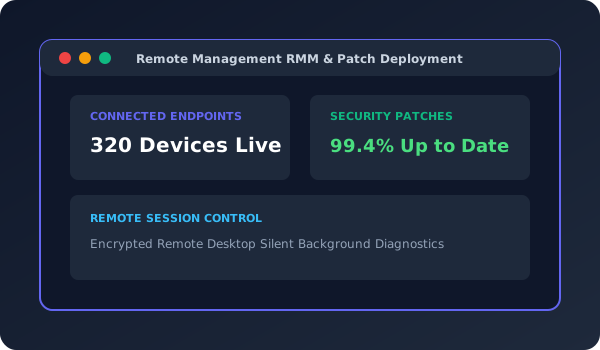
Remote Management Software Dashboard
WHY REMOTE MANAGEMENT

Faster IT support, fewer site visits.

The JBX Remote Management Software lets your IT team see the health of every device, connect remotely when users need help and roll out updates in bulk.

Alerts flag problems such as low disk space or offline machines before users notice, and every remote action is logged.

Every deployment starts with a walkthrough of your current process, followed by configuration, data migration, user training and ongoing support from the JBX team.

What's included

  • Requirements walkthrough & configuration
  • Web-based access from desktop and mobile
  • Role-based user access & approvals
  • Data migration from existing records
  • Setup and hosting by JBX Technologies
  • User training & onboarding
  • Ongoing support & enhancement contracts
CORE MODULES

What's inside Remote Management.

Configured to the modules your business needs — nothing more, nothing less.

Remote Access

Secure remote desktop sessions.

Device Monitoring

CPU, memory, disk and status.

Alerts

Notifications for issues and outages.

Software Deployment

Install and update software in bulk.

Patch Management

Keep systems up to date.

System Inventory

Hardware and software details.

Remote Scripts

Run commands across devices.

Activity Logs

Audit trail of remote actions.

HOW WE DELIVER

Our deployment process.

01

Discovery

Process walkthrough and module scoping with your team.

02

Configuration

Modules configured and branded to your business.

03

Data Migration

Existing records migrated safely from legacy systems.

04

Training & UAT

User acceptance testing and hands-on team training.

05

Go-Live & Support

Go-live support with ongoing helpdesk access.

FAQs

Common questions about Remote Management.

Is remote access secure?
Yes. Sessions are encrypted and access is restricted by user roles, with every session logged.
Does it work with JBX IT Support?
Yes. Technicians can open remote sessions directly from support tickets.
Can it be customised to our workflows?
Yes. Remote Management Software is configured around your existing processes, forms and reports during setup.
Is it web-based?
Yes. It runs in a web browser, so your team can use it from office computers, laptops and mobile devices.
What support is included after go-live?
Every deployment includes onboarding, user training, and ongoing support contracts covering enhancements and helpdesk access.

See Remote Management in action.

Book a free walkthrough tailored to your business processes — no cost, no obligation.